Worked example: inspect an alarmLink to the section Worked example: inspect an alarm
On this page
An operator views a simulated aerial vehicle in a compatible VMS. This walkthrough connects the protocol's concepts; it describes an illustrative workflow, not a hardware validation result. To run the reference software, use Run the simulator.
Viewing, an event, camera control and a vehicle request form separate steps.
-
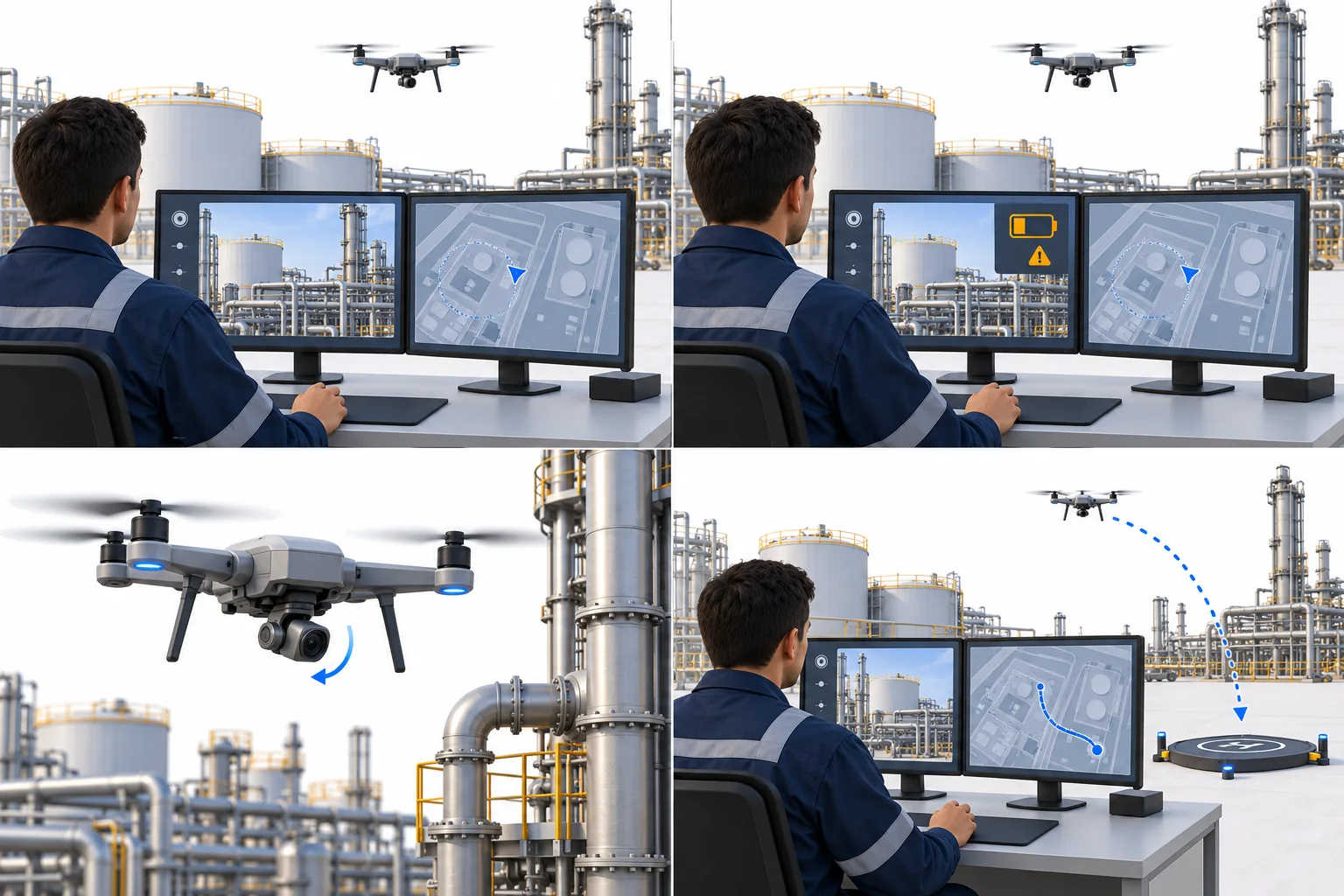
1. View video and position
Profile S brings the scene and vehicle state into the operator's workspace.
-
2. Receive an event
An amber battery alert draws attention to a change in vehicle health.
-
3. Point the camera
Profile C and the camera permission allow supported payload controls; a camera lease may also be required.
-
4. Request return home
Profile N, operator enablement, vehicle permission, a vehicle lease and controller checks govern the request.
Concept illustration · UNIVIP v0.2 working draft. The operator follows command status through its outcome. Acceptance alone does not confirm completion. Open full illustration.
View video and positionLink to the section View video and position
The Device advertises its capabilities after connecting. The Client negotiates a supported stream, displays video and associates telemetry with its media timeline. Position, heading, battery and link state give the video operational context.
Profile S provides this foundation. The operator can inspect the scene and follow the vehicle without receiving permission to move its camera or task the vehicle.
Receive a low-battery eventLink to the section Receive a low-battery event
A low-battery condition appears as an event. The Client can show it with the live view and retain it for review. When the condition clears, the event state changes accordingly; Clients preserve the distinction between a new occurrence and an active condition.
Point the cameraLink to the section Point the camera
To zoom or point a gimbal, the Client checks Profile C and the advertised payload capability. The user's camera permission applies, along with a camera lease if the payload requires one. A camera command does not authorize movement of the vehicle.
Request return homeLink to the section Request return home
Vehicle tasking requires Profile N, operator enablement, vehicle permission and a valid vehicle lease. The Device checks pilot override, limits, vehicle state and controller safety before accepting a return-home request.
The operator follows command status after acceptance. Pilot actions and controller failsafes can take priority. Read vehicle control and safety for the requirements.
Read an example telemetry messageLink to the section Read an example telemetry message
The chart below is drawn to scale from the repository's Profile C telemetry example. It shows home, vehicle heading and the camera footprint at one sample time. The readouts come from that message and are not live data.
- Position
- 12.9716° N, 77.5946° E
- Altitude
- 42.1 m above ground, 962.4 m above sea level
- Heading
- 90.5° at 4.2 m/s
- Battery
- 76 %, 21 min left
- Link
- Connected, 45 ms
- Camera
- 4× zoom, recording
deployed-profile-c.json, an example telemetry message sent at 10:32:15 UTC on 15 October 2026. This is example data.